0) Choose how you want to quote
Simple is recommended. You can switch any time.
2) Upload your file or screenshot.
.
I don’t have a model yet
Try these sites for ready-made models. If you only have a photo/screenshot, upload that instead.
No file selected.
If your model is paid (e.g. Cults3D), you must purchase it yourself.
I print exactly what I'm given.
3) How big is it?
If you know the size, enter it. If not (especially for screenshot quotes), you can skip.
Max build volume is 220×220×220mm. If you upload an STL, these auto-fill and lock. Use the scale slider to resize.
Tip: scale your model to fit within 220×220×220 mm.
4) Material, layer height & colours
Choose a material. I’ll optimise print settings for the best result.
Pulled from live stock.
Adds £5 to cover purge waste + time.
Minimum charge £5.
Selected: 0.20mm · Affects machine time (especially tall prints).
Here’s a quick visual demo of layer height:
Larger layers print faster and cost less, but show more layer lines.
Smaller layers take longer and cost more, but give a smoother finish.
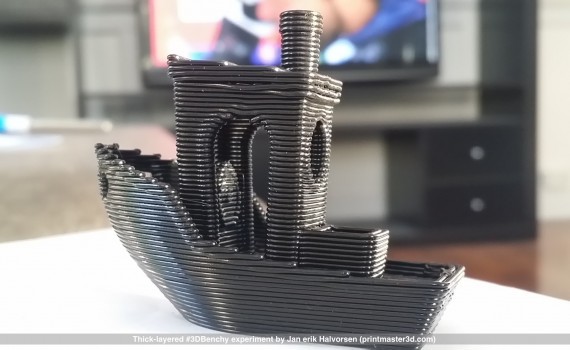
Coarse — faster & cheaper
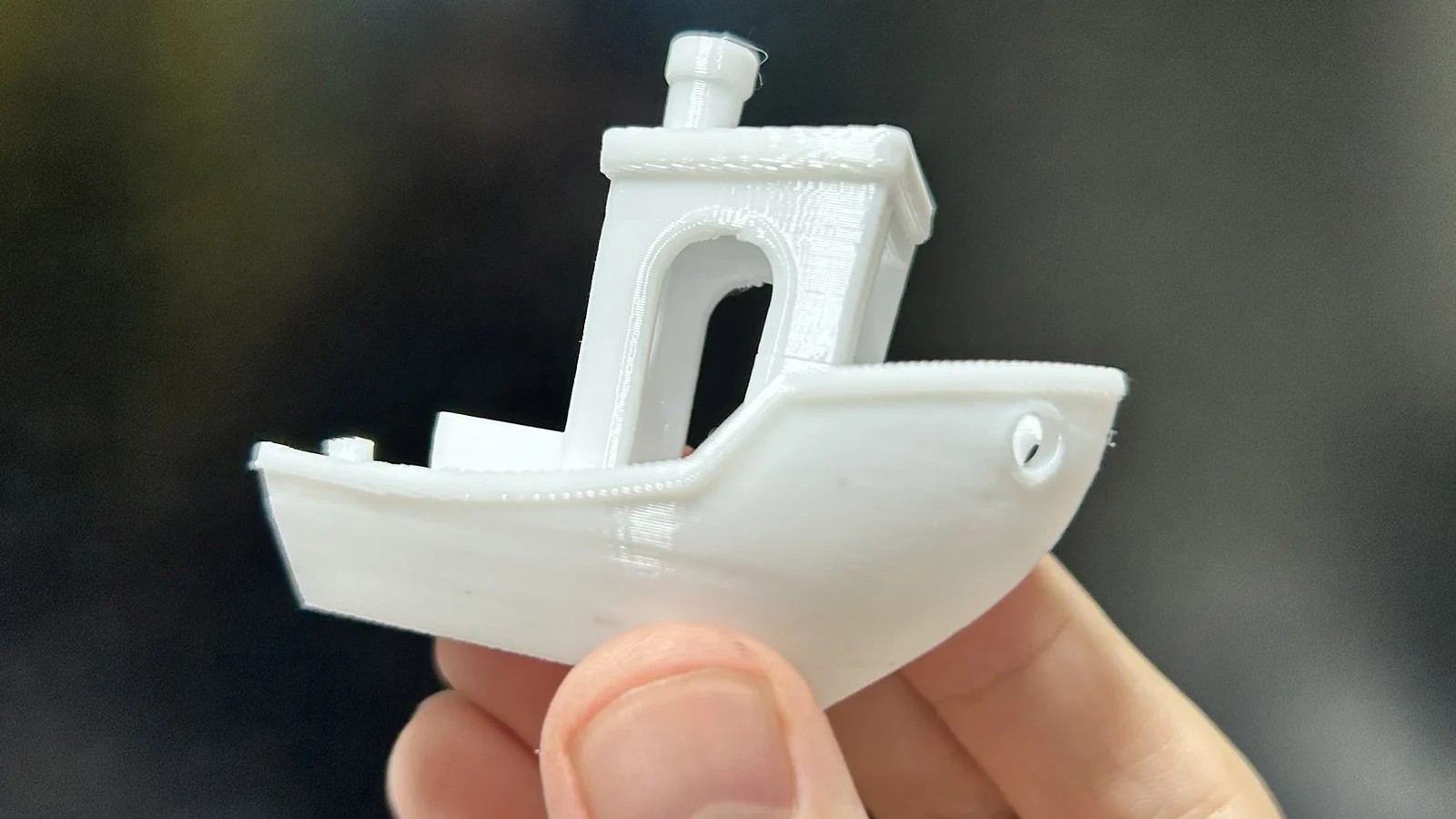
Fine — smoother & more detailed
Smaller layers = more detail, longer print, higher cost.
Larger layers = stronger & faster, cheaper, but less detail.
Quick guide
• 0.12–0.16: best detail (slowest / most expensive)
• 0.20: balanced default
• 0.28–0.36: faster / strong functional parts
• 0.44–0.56: very fast / low detail
Note: for multi-colour prints, stick to one material (mixing PLA/PETG can cause adhesion issues).
6) Delivery or pickup?
If delivery is selected, a postcode and address are required. Delivery charge applies.
7) Submit your quote
Required to submit.
Sends to Fylo (server-side).
—